NEWFree tier now live — create 7 free posts

Help your business reach people, in a way that feels like you.

AI tools for social content and email, plus expert help with marketing, websites and technology.

No credit card required Already using Post Pilot? Log in
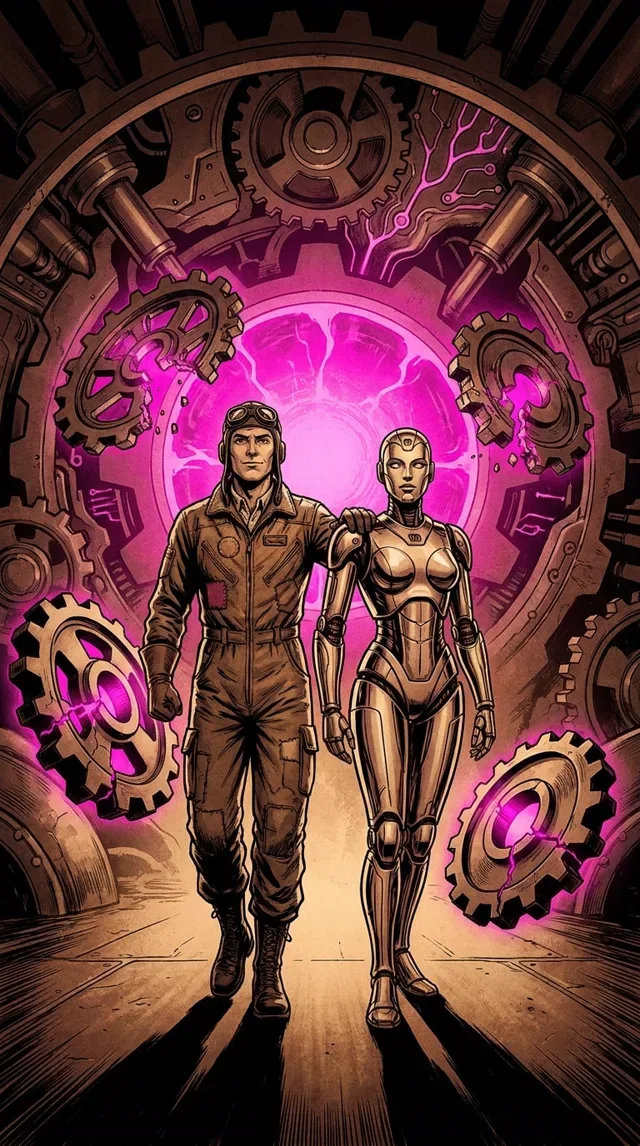
AI-generated post image: a pilot and an android walking through a portal of gears and magenta light.
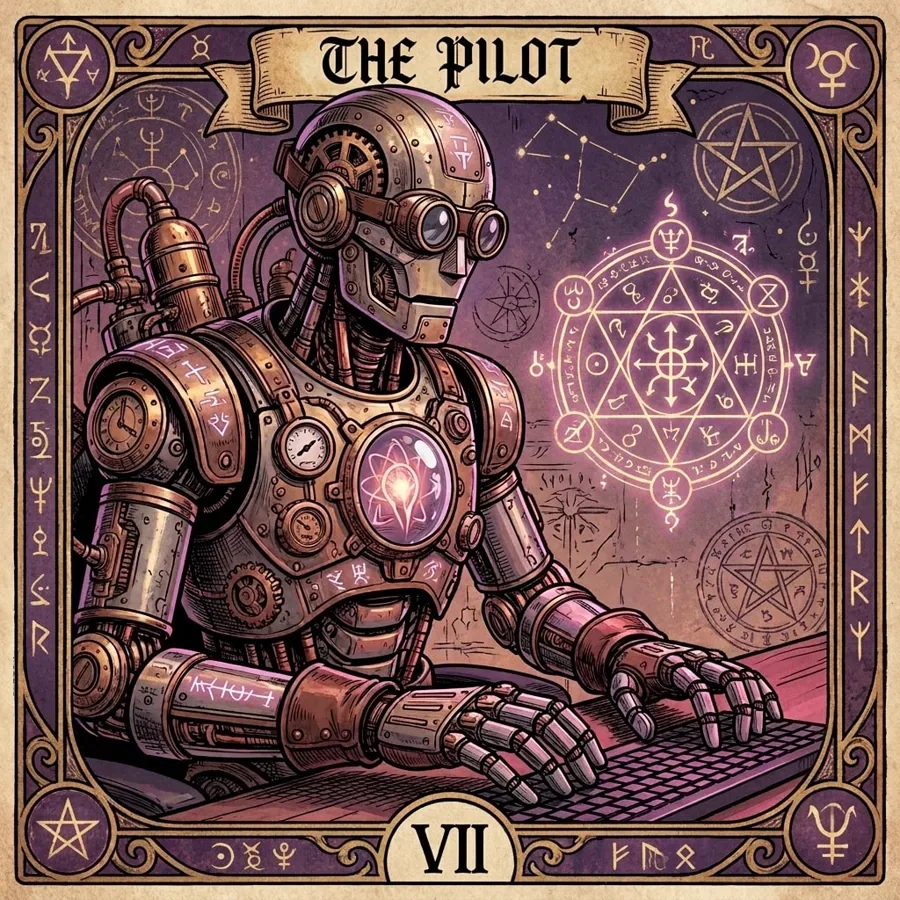
AI-generated post image: a steampunk pilot robot at a keyboard beneath a banner reading “The Pilot”.
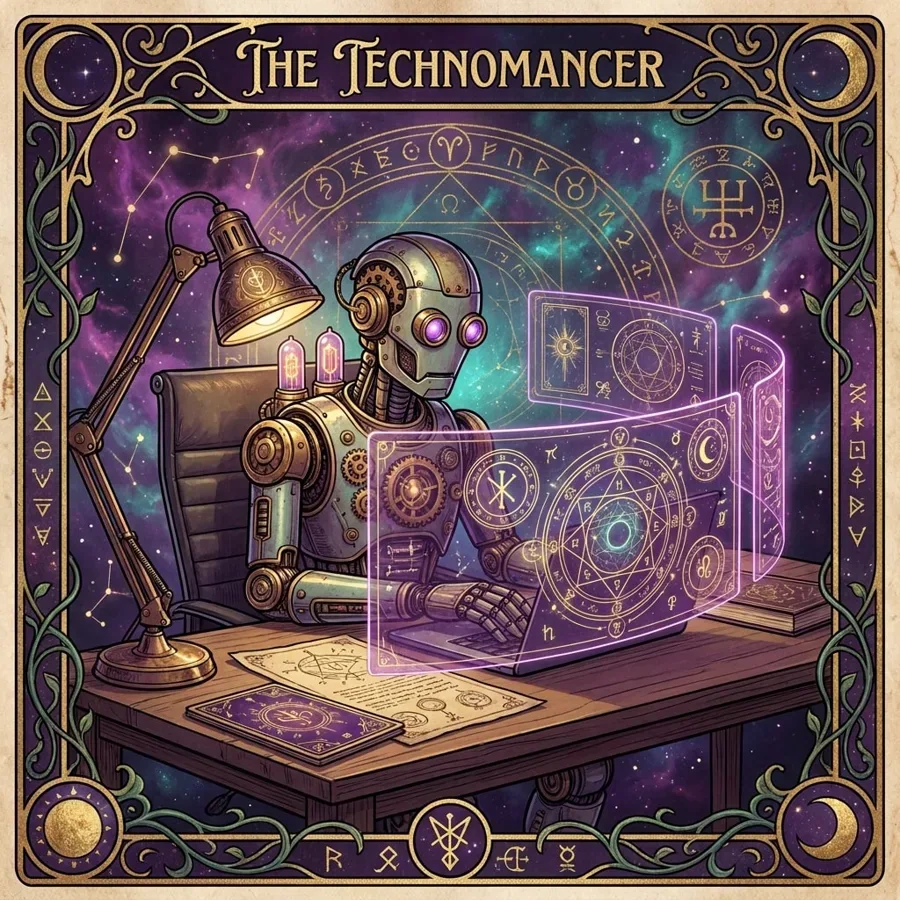
AI-generated post image: a robot using glowing holographic screens, titled “The Technomancer”.

Finished examples made with Fismbot — demonstrations, not customer results.

NEW

Create 7 free posts

Start in seconds. No credit card and no commitment — get 7 AI-generated posts and see what Fismbot can do for your business.

See What Fismbot Creates

Finished post images, a vertical video and the dashboard behind them — all produced from a few lines about your business. These are demonstrations, not customer results.

Experimental
Vertical video — created for a social post (no sound)
AI-generated post image: a steampunk pilot robot at a keyboard beneath a banner reading “The Pilot”.
Character art post
AI-generated post image: a robot using glowing holographic screens, titled “The Technomancer”.
Sci-fi story post
AI-generated post image: a pilot and an android walking through a portal of gears and magenta light.
Brand story post
AI-generated post image: a robot detective surrounded by clocks, charts and poll results.
Data & insight post

Find your situation

Four common starting points. Each one follows the same path: what you need, how Fismbot helps, the finished result and your next step.

  1. Keep your feeds active without the daily scramble

    You have plenty to say but no time to turn it into posts every day.

    Post Pilot learns your business from a short brief, your website and brand assets, then drafts posts with images and captions in your voice.

    What you get: You get finished posts you can edit, approve and keep.
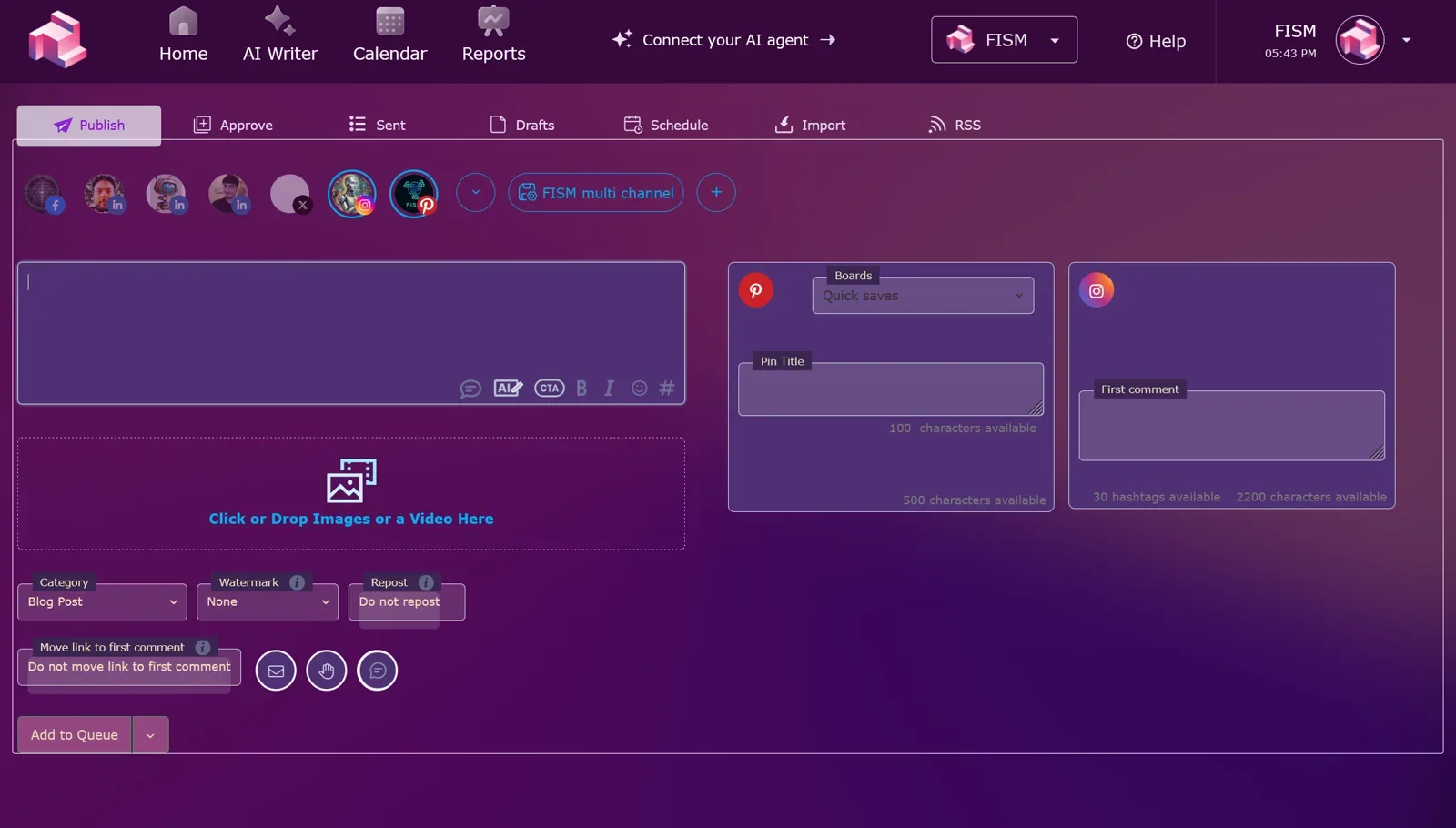
    Fismbot Publish dashboard: write a post once, tailor it for each channel, then queue or schedule it.
    Publish dashboard — write once, tailor per channel, then queue or schedule.
    1. You share your business details, documents and brand assets once
    2. Post Pilot drafts posts, images and captions from that material
    3. You review the result and change anything you like
    4. Create 7 free posts and see the quality for yourself
    Create 7 free postsExplore Post Pilot
  2. Turn your list into personalised email

    You have an audience but sending anything personal takes all day.

    You describe the audience, the purpose and the tone. Email Pilot turns that guidance into a tailored message.

    What you get: You see the guidance and the resulting email side by side, ready to review.
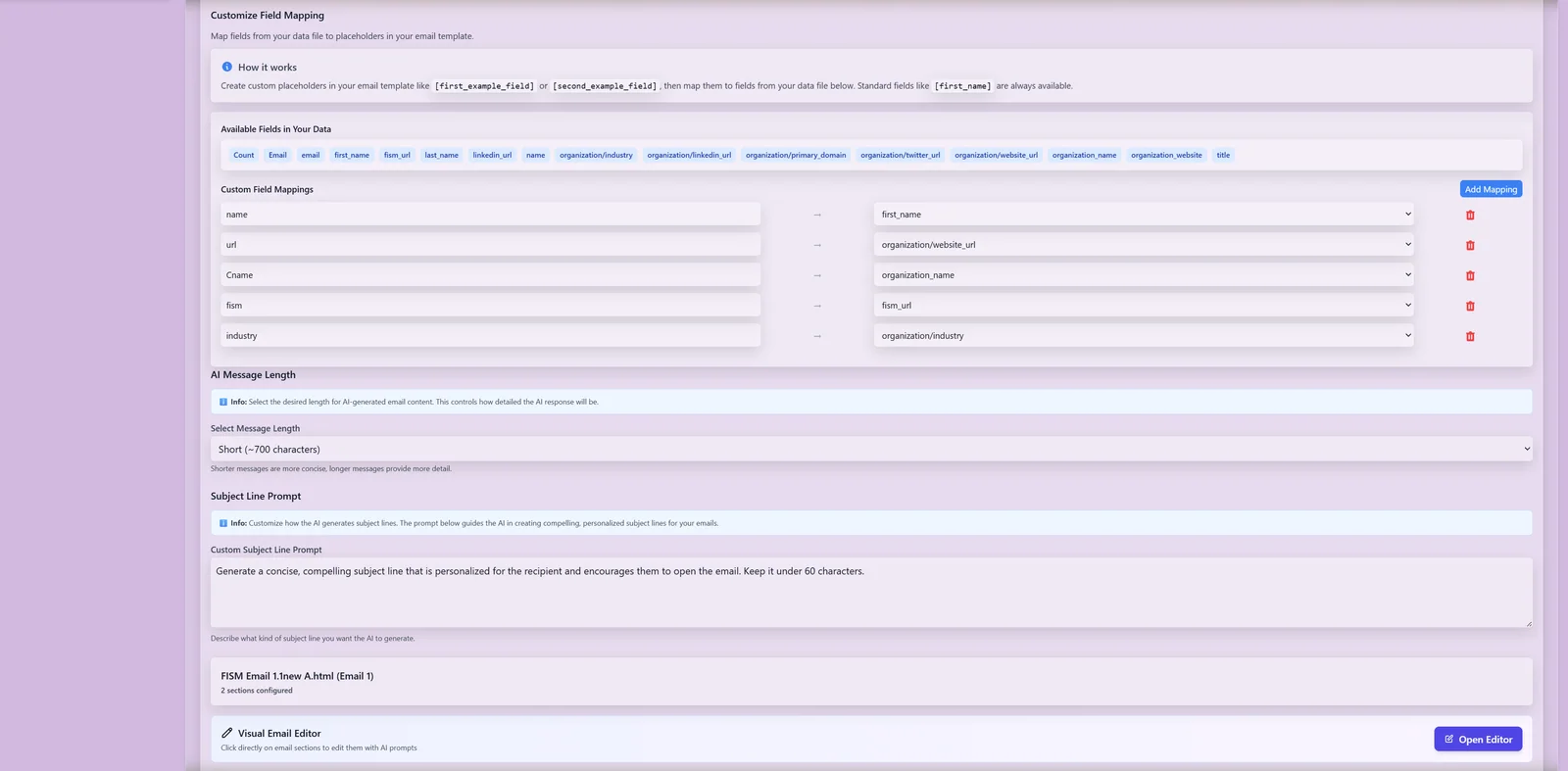
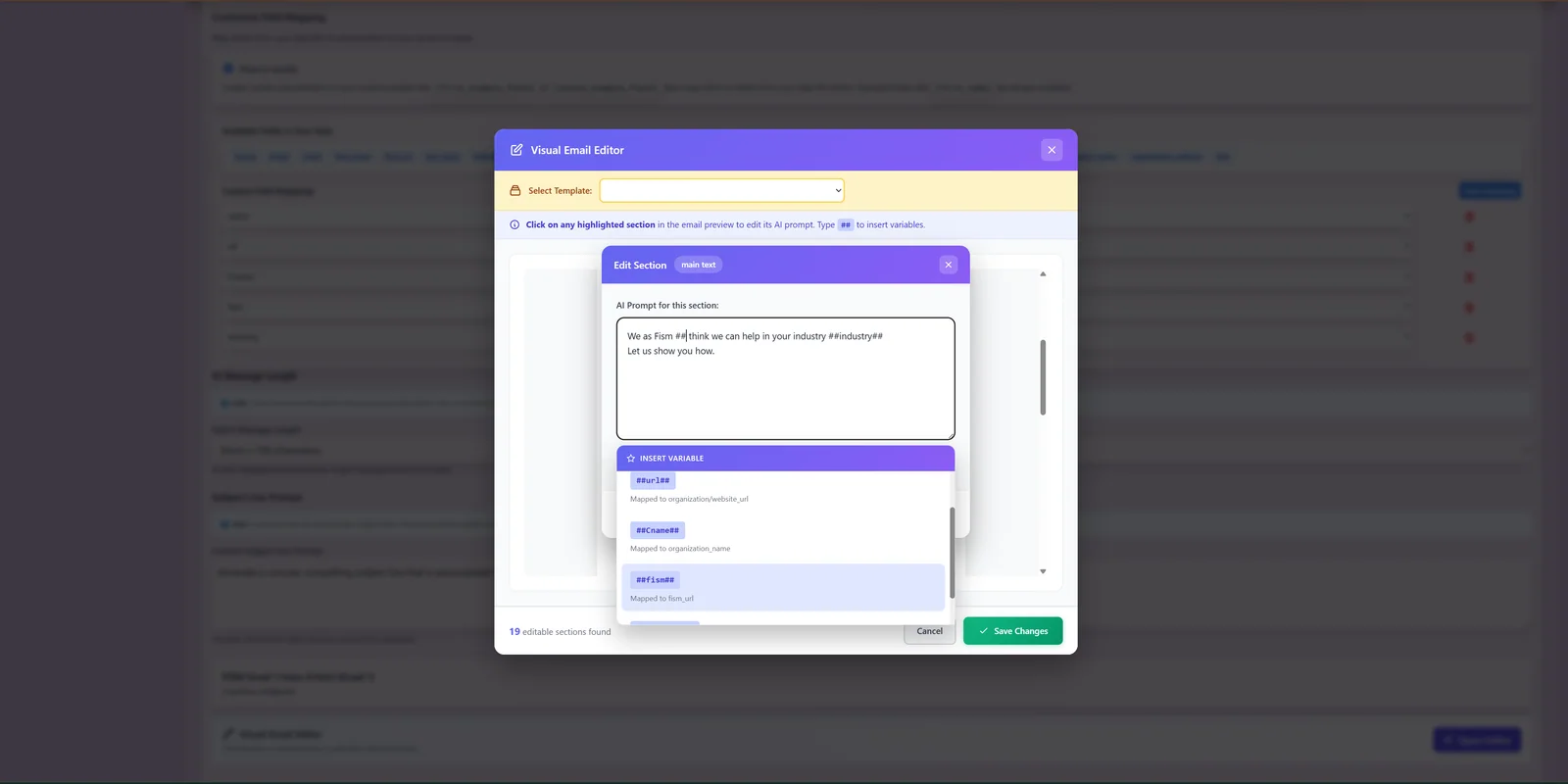
    Email Pilot campaign configuration screen where the audience, purpose and tone are set.
    You set the guidance — audience, purpose and tone.
    Email Pilot composition editor showing the personalised email that results from the guidance.
    Email Pilot writes the message from that guidance.
    1. You explain the audience, purpose and tone
    2. Email Pilot writes the email around your guidance
    3. You compare the brief with the finished message
    4. Join the waiting list while Email Pilot opens up
    Join the waiting listSee Email Pilot
  3. Hand the campaign to a team that delivers

    You know you need to reach more people, but not where to start or who to ask.

    You describe the brief. Our marketing team plans the campaign and produces the materials, using the same AI tools behind Fismbot.

    What you get: You receive campaign materials you can approve and run.

    1. You send a short brief with your goal
    2. Our team plans and produces the campaign
    3. You review the materials and give feedback
    4. Discuss a marketing project and get a clear plan
    Discuss a marketing project
  4. Describe the problem in plain language

    You need a website, a fix or an automation, and technical jargon is not helping.

    Tell us what needs to happen and our team builds the website, fix or working solution for you.

    What you get: You get a working result, explained without the jargon.

    1. You describe what you need in plain language
    2. Our team builds the website or technical solution
    3. You check the result and ask for changes
    4. Discuss a website or IT project to get started
    Discuss a website or IT project

Watch Fismbot at Work

A short tour, the Publish dashboard and Video Studio — the same screens you use every day.
Experimental
A 30-second tour of Fismbot
Fismbot Publish dashboard: write a post once, tailor it for each channel, then queue or schedule it.
Publish dashboard — write once, tailor it per channel (Pinterest, Instagram and more), then add it to the queue or schedule it.
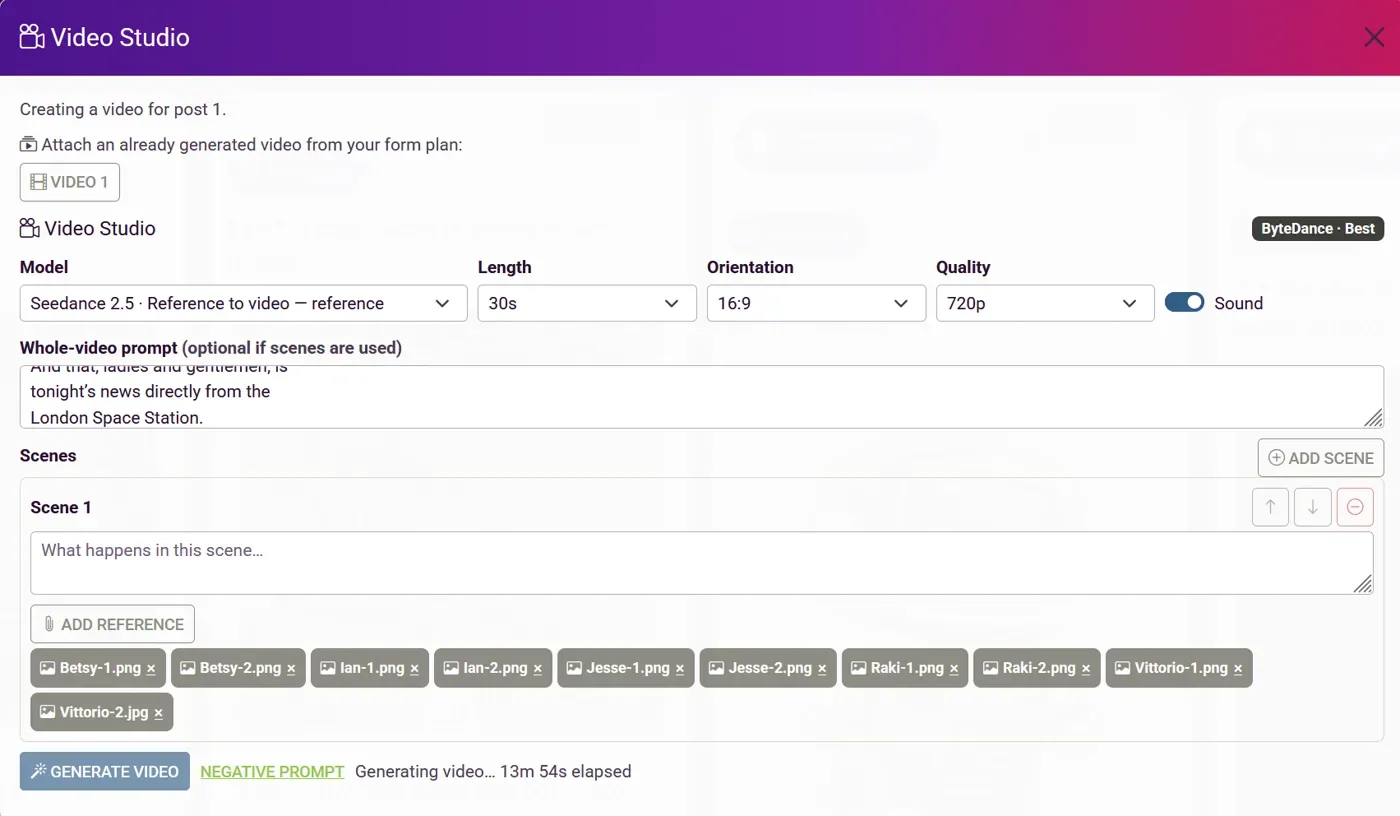
Fismbot Video Studio: choose model, length, orientation and quality, describe scenes, attach reference images and generate a video.
Video Studio — choose a model, length, orientation and quality, describe each scene, attach reference images and generate.

Post Pilot creation: generate AI text and images, or write your own copy and upload your own content. Video and Strategy: use Video Studio to create video, and set the plan before you write. New UI and Past Edits: work in the current interface and return to your past edits from inside the editor. Calendar and Reports: see everything together in the calendar, and read Post, Audience, Campaign and Best Times metrics in Reports.

The same four steps, every time

Whether you use the tools or ask our team, the path is the same.

  1. You share the input

    Business details, documents, brand assets or a short description of what you need.

  2. Fismbot creates the work

    The tools, or our team, turn that input into finished content or a working solution.

  3. You review the result

    See the finished work and change anything you like before it goes out.

  4. You take the next step

    Approve it, schedule it or ask us to take it further.

What changes day to day

Less repetitive work

Stop rebuilding the same posts, emails and pages from scratch.

Faster content creation

Go from a short brief to something you can review in one sitting.

Review and edit

Everything can be changed before it goes out. Nothing is locked in.

Two ways to work with Fismbot

Use the tools yourself, or hand the work to our team. You can switch between the two at any point.

Use the tools yourself

Post Pilot and Email Pilot for people who want to create, review and publish their own content.

  • Create 7 free posts, no credit card
  • Generate AI content or upload your own
  • Review and edit everything before it goes out

Get help from our team

Marketing and IT services for the work you would rather hand over and get delivered.

  • Campaigns and content produced for you
  • Websites, fixes and automation
  • A clear plan before any work starts

Common questions

Is there a free plan?

Yes. You can create 7 free posts with no credit card. Scheduling and automatic publishing are paid features — the free tier is for creating and downloading content.

What is the difference between Post Pilot and Email Pilot?

Post Pilot creates, reviews and schedules social content. Email Pilot personalises email campaigns for your audience. Email Pilot is not open for self-serve signup yet — join the waiting list and we'll let you know when it is.

Can I use my own images and text?

Yes. You can generate AI text and images, or write your own copy and upload your own content.

How much do the tools cost?

Post Pilot has a free tier and paid plans with scheduling. Current prices are shown on the Post Pilot pricing section.

Can your team do the work for me?

Yes. Our marketing and IT services cover campaigns, content, websites and technical work. Tell us what you need and we'll come back with a clear plan.

Start with 7 free posts, or tell us what you need

Try the tools on your own business, or send us a short brief and we'll take it from there.